# Microsoft Advertising开户申请

1. ### 申请操作

#### 1.1 进入Microsoft Advertising开户申请

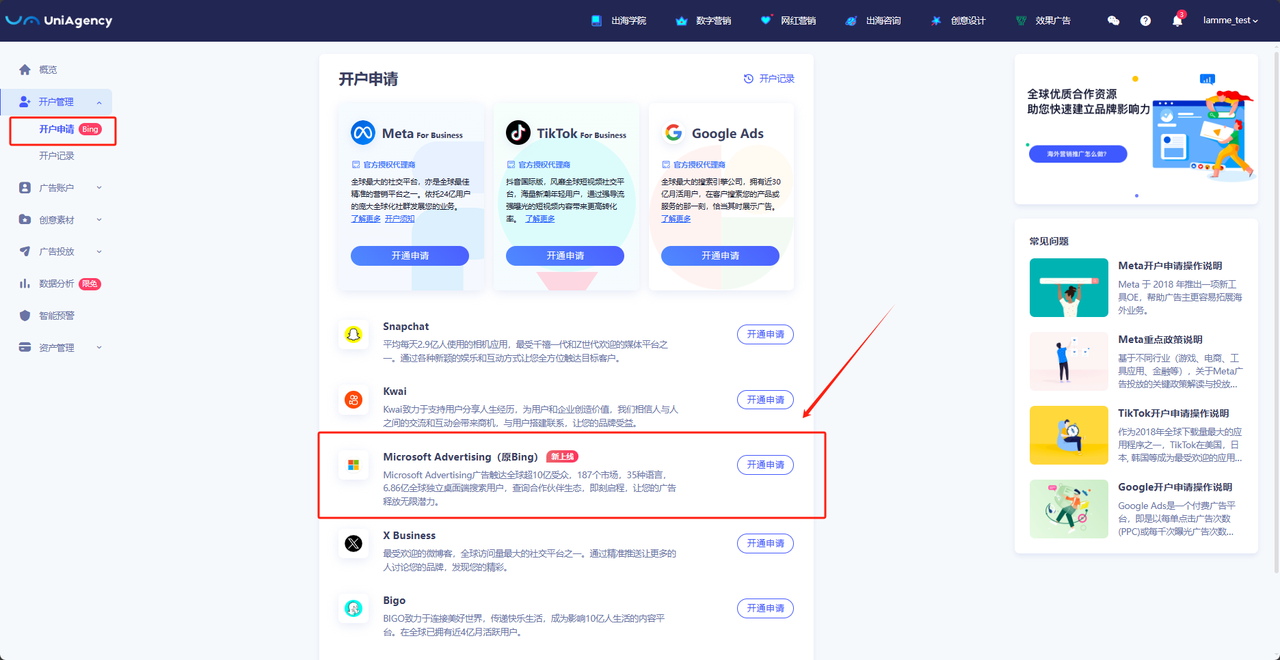
* 点击菜单栏【开户管理】—【开户申请】，进入开户申请页面。
* 选择Microsoft Advertising（原Bing），点击【开通申请】按钮，进入Microsoft Advertising平台开户申请页面。

<div data-full-width="false"><figure><img src="/files/i8UOGYMKPxG9oLj9rQBh" alt=""><figcaption></figcaption></figure></div>

#### 1.2. 填写申请表单

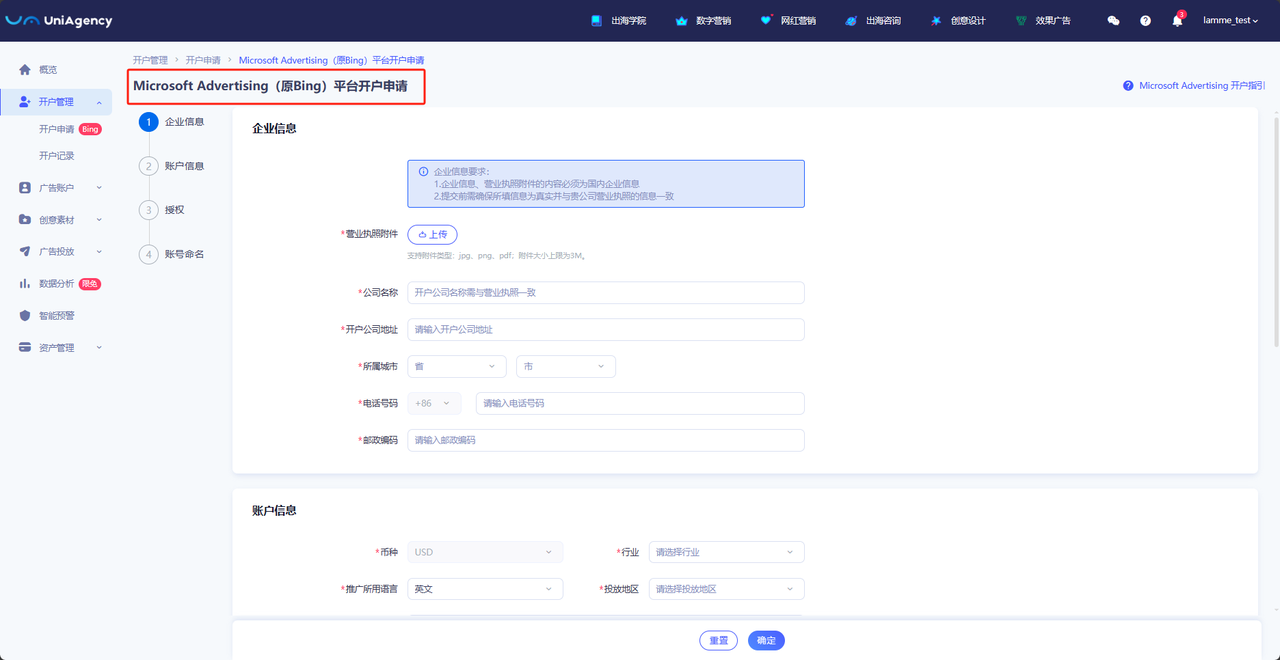
* 按系统提示填写Microsoft Advertising账户申请的各项内容:

  * 带“ \* ”为必填项；
  * 填写完毕后点击【确定】按钮。

  <div data-full-width="false"><figure><img src="/files/z5TuKBiCG9rGwUQBqecg" alt=""><figcaption></figcaption></figure></div>

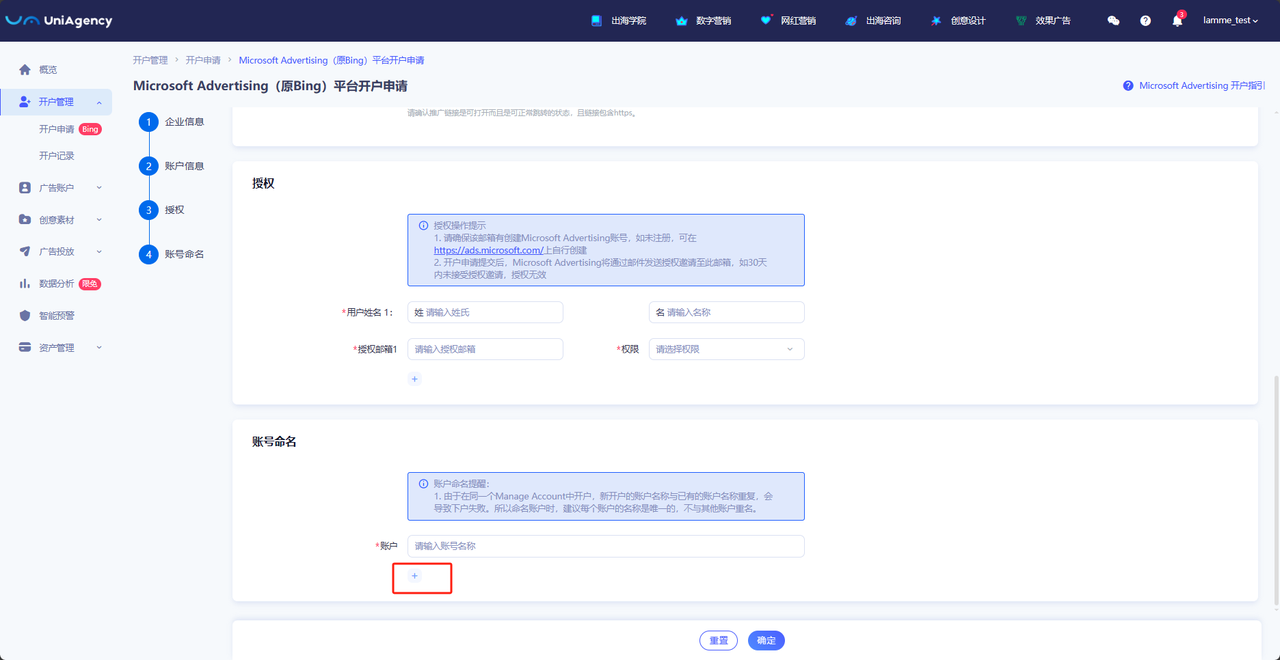
  * 如需申请多个账户，可以点击“**＋**”增加，账户名称仅限英文字符，请用英文命名您的账户

  <div data-full-width="true"><figure><img src="/files/4LKnFOy3RNNUhNVUSbbR" alt=""><figcaption></figcaption></figure></div>

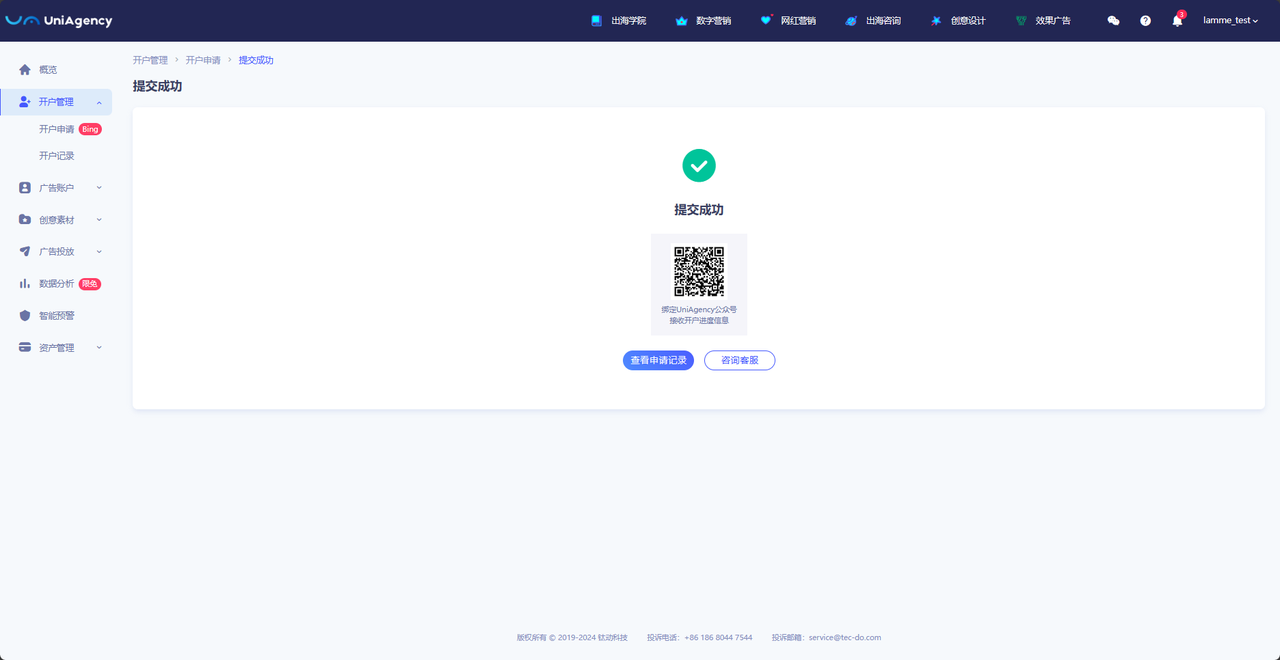
  * 开户申请提交成功

  <figure><img src="/files/c9a9iwRPAEFMJ4jVRP8E" alt=""><figcaption></figcaption></figure>

### Uniagency系统开户申请入口：

登录UniAgency免费开户：<https://business.uniagency.net/#/login>


---

# Agent Instructions: Querying This Documentation

If you need additional information that is not directly available in this page, you can query the documentation dynamically by asking a question.

Perform an HTTP GET request on the current page URL with the `ask` query parameter:

```
GET https://help.uniagency.net/uniagency/create-ads-account/kai-hu-shen-qing/microsoftadvertisingadsaccount.md?ask=<question>
```

The question should be specific, self-contained, and written in natural language.
The response will contain a direct answer to the question and relevant excerpts and sources from the documentation.

Use this mechanism when the answer is not explicitly present in the current page, you need clarification or additional context, or you want to retrieve related documentation sections.